
RV Happy Hour Help Page
Video Help clips
Website Overview
How to Register
Profile Page
Adding Extra Profile Information
Create your Avatar(Profile Picture)
Howto Resize Your Photos for Uploading
Photo Uploading Howto
RVHH Photo Upload Rename Tip
Using the RV Happy Hour Forums Tips
Create Media Albums and Sort Photos
Embed Video links easily
Most areas of the site where you can author a post you can embed a video link simply by pasting the video URL into the post editor box on it’s own line. It will in most cases be automatically embedded into your post.
Photo Resizing Help
Add Extra Profile Info How-to
Your RV Happy Hour profile is capable of displaying more information than the basic sign-up form asks for. You can edit your profile and add a signature for forums, your website or blog address, email and pet’s name.
I can also add more fields or categories if members wish more options for profile information.
Currently to modify the signature beyond plain text requires the use of BBcode, I’m looking at some plugins that may make it easier but most are too buggy at this point.
Here is a short video clip showing where to edit.
Forum Signature
If you would like a signature to appear in the bottom of your forum posts go to your personal profile —> edit and look for a edit box under “Personal info” You can use BBcode here and up to 512 characters.
Here is a picture of my signature and the code I used to do it.
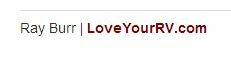
Forum Signature Edit Example
@Username usage
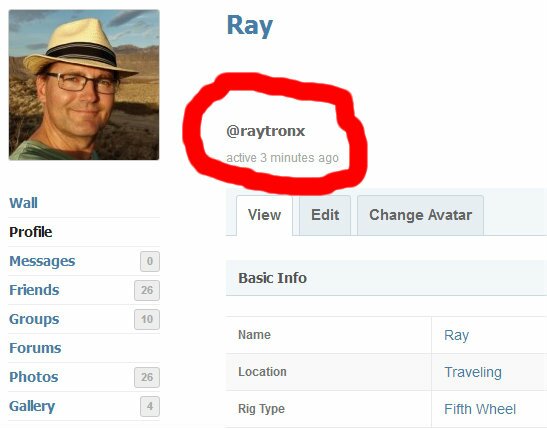
There are two names associated with each RV Happy Hour member, the log in username which shows in their profile as an @username and the regular name that usually shows up.
You can alert a member that you have mentioned them in an activity update or forum post by using their @username. To find the members @username go to their profile page and look to the right of their Photo avatar. You can see here mine is @raytronx
If you use the @username they will be alerted that they have been mentioned. This will occur automatically in some cases like if you write a message on their Wall feed or by using the Public Message button on their Profile page.
BBCode can be used in the forum posts, signature, etc.
What is BBCode? BBCode is a special implementation of HTML. Whether you can actually use BBCode in your posts on the forum is determined by the administrator. In addition you can disable BBCode on a per post basis via the posting form. BBCode itself is similar in style to HTML, tags are enclosed in square brackets [ and ] rather than and it offers greater control over what and how something is displayed. Depending on the template you are using you may find adding BBCode to your posts is made much easier through a clickable interface above the message area on the posting form.
Here is a link to a handy guide on how to use BBcodes on RV Happy Hour – Guide to BBcodes
Additional Help
For help not answered on this page, please post a question in the Website Help Forum, message me on my profile page or email